

I spend about 100 days a year on the road filming national parks. I’ve tested every road trip planning app worth testing. Most of them are garbage.
These 15 are not.
Every tool on this list is free, and I’ve used each one on real trips across the country. They’re ranked by how useful they actually are, not by who paid for a sponsored spot.
Quick Comparison: Road Trip Planning Tools
| Tool | Best For | Cost | Platform |
|---|---|---|---|
| Google Maps | Navigation + route planning | Free | Web, iOS, Android |
| Roadtrippers | Discovering roadside stops | Free / $49.99/yr | Web, iOS, Android |
| Wanderlog | Trip itineraries | Free / $8/mo | Web, iOS, Android |
| Waze | Real-time traffic alerts | Free | iOS, Android |
| Travel Blogs | First-hand trip planning | Free | Web |
| Google Images | Visual destination scouting | Free | Web |
| Tripadvisor | Hotel & attraction reviews | Free | Web, iOS, Android |
| Yelp | Restaurant reviews | Free | Web, iOS, Android |
| Airbnb | Unique accommodations | Free to browse | Web, iOS, Android |
| AllTrails | Trail finding + maps | Free / $35.99/yr | Web, iOS, Android |
| Recreation.gov | Campsite reservations | Free | Web, iOS, Android |
| Apple Notes | Collaborative planning | Free | iOS, Mac |
| Google Docs & Sheets | Day-by-day itineraries | Free | Web, iOS, Android |
| Photos App | Shared trip photos | Free | iOS, Android |
| GasBuddy | Finding cheap gas | Free | Web, iOS, Android |
Best Route Planning Tools

1. Google Maps + My Maps

- Price: Free
- Platforms: iOS, Android, Web
- Best For: Route planning, custom map creation, navigation
The best road trip planning tool out there is Google Maps, and it is typically the first tool I reach for when planning a trip. You can plot directions between up to 10 waypoints with live traffic updates, compare alternative routes, and get real-time rerouting suggestions.
117 public lands destinations are under threat. Get the free briefing that 27,000+ people use to stay informed and take action.
What sets Google Maps apart is My Maps, a separate feature that lets you create, save, and share custom maps with custom pins and layers. I use this for every major road trip. Here is an example from our 10 Best National Park Road Trips guide.
You can add relevant information, photos, and directions to each map point. The possibilities are genuinely endless for planning the best road trips in the USA.
2. Roadtrippers

- Price: Free (limited to 7 waypoints); $49.99/year for Premium with up to 150 waypoints
- Platforms: iOS, Android, Web
- Best For: Discovering stops along your route, RV trip planning
Roadtrippers lets you create road trip maps and then discover interesting stops along your route, sorted by category like camping, entertainment, landmarks, and more. The free version is limited to 7 waypoints per trip and basic features, which works for short weekend trips but falls short for anything more ambitious. There is also a handy RV mode that highlights spots specifically for recreational vehicle travelers.
Pricing note (updated 2026): Roadtrippers now charges $49.99/year for Premium, which is required for trips with more than 7 waypoints. The free tier is still useful for short weekend routes, but if you are planning a multi-day trip you will almost certainly need the paid version. For that reason, Google Maps + My Maps (free, unlimited waypoints) is our top pick for most road trippers. That said, Roadtrippers’ discovery feature, showing you interesting stops along your route, is genuinely useful and something Google Maps does not replicate. We used it to plot our Utah National Parks Road Trip.
3. Wanderlog

- Price: Free (Pro version available)
- Platforms: iOS, Android, Web
- Best For: Itinerary building, collaborative trip planning, budget tracking
Wanderlog is a newer trip planner that has quickly become one of my favorites. It lets you add unlimited stops for free, see your route on a map, and even auto-optimize your route to save driving time. You can see estimated drive times between stops, making it easy to plan realistic daily itineraries.
The collaboration features are excellent, invite your road trip crew and everyone can add places, notes, and reservations in real time. You can also forward hotel and flight confirmation emails to import them directly into your plan.
Best Navigation Apps

4. Waze

- Price: Free
- Platforms: iOS, Android
- Best For: Real-time traffic, speed trap alerts, road condition reports
If you’re one of those rare folks who sometimes find themselves accidentally exceeding the posted speed limit, Waze is a must-have. The community-driven app lets users (passengers, not drivers) post real-time updates on road conditions, obstacles, traffic slowdowns, construction zones, and my personal favorite, speed trap notifications.
I use Waze alongside Google Maps on every road trip. Google Maps for planning, Waze for the drive itself.
Best Trip Research Tools

5. Travel Blogs

- Price: Free
- Best For: Trip inspiration, detailed itineraries, first-hand tips
Travel blogs offer something no app can replicate: detailed, experience-based trip itineraries and insider tips from people who have actually been there. We regularly google things like “best things to do in Redwood National Park” and the most helpful results are typically from travel blogs.
These sites provide specific road trip routes, timing advice, and photos that help you decide what’s actually worth stopping for. One of our favorite go-to blogs is Embrace Someplace.
6. Google Images

- Price: Free
- Best For: Visual inspiration, scouting destinations
Before visiting Death Valley National Park, I searched “Artists Palette Death Valley” on Google Images to get a sense of what to expect. As a photographer, if I find a vantage point I like, I click through to the source website to find out the exact location and best time to visit.
It’s simple, it’s free, and it’s one of the first things I do when researching any road trip destination.
Best Review & Booking Apps

7. Tripadvisor

- Price: Free
- Platforms: iOS, Android, Web
- Best For: Hotel reviews, attraction reviews, booking accommodations
My go-to site for road trip hotels and for double-checking reviews on places I’ve found elsewhere. Tripadvisor has nearly a billion reviews and opinions, which makes it one of the most reliable resources for vetting accommodations. It also offers competitive prices and generous cancellation windows.
8. Yelp
- Price: Free
- Platforms: iOS, Android, Web
- Best For: Restaurant reviews, finding food in unfamiliar towns
The time to use Yelp is when you’re looking for food on a road trip. My brother can attest to what happens when you skip the reviews and just wing it at the only game in town, let’s just say it was a rough night.
Yelp is what we’ve used ever since to find well-reviewed restaurants in new towns and, more importantly, to avoid the ones that flirt too closely with the health code.
9. Airbnb

- Price: Free to browse and book
- Platforms: iOS, Android, Web
- Best For: Unique accommodations, off-the-beaten-path stays
Airbnb has come in handy all over the country for booking accommodations in places on and off the beaten path. From luxurious homes to treehouses, camper vans to beachside condos, the variety is unmatched. User reviews, photos, and amenity listings make it easy to know what to expect before you book.
Best Outdoor & Activity Apps

10. AllTrails
- Price: Free (AllTrails+ available)
- Platforms: iOS, Android, Web
- Best For: Finding and saving hikes, trail reviews and photos
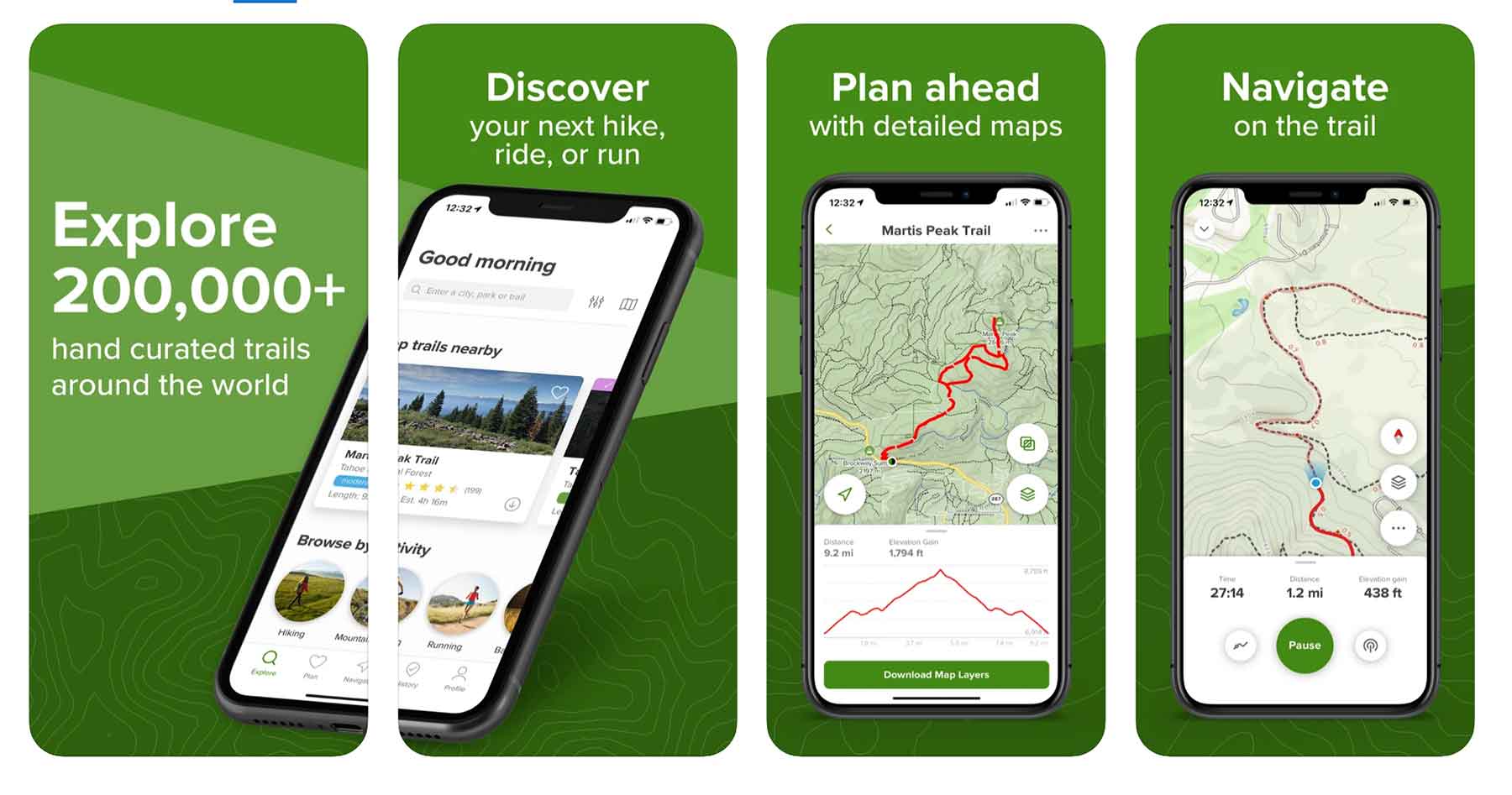
We rated AllTrails as the best hiking app and for good reason, if your road trip includes any hiking, this is an essential companion. Find trails by location, read reviews, see photos, and download offline maps so you’re covered even without cell service.
RELATED: 20 Great Hiking Apps (For ALL Skill Levels)
11. Recreation.gov App
- Price: Free
- Platforms: iOS, Android
- Best For: Campsite reservations, timed-entry permits, federal land bookings
If your road trip involves camping on federal lands, and it should, the Recreation.gov app is essential. Book campsites, timed-entry reservations, road permits, and even lottery tickets (like Denali) all from your phone. The app also lets you set alerts for popular campsites that fill up fast, which is a game-changer for parks on our complete list of national parks.
Best Organization Tools
12. Notes App (Apple)
- Price: Free
- Platforms: iOS, Mac (Android users: see Google Docs below)
- Best For: Collaborative trip planning, shared checklists
I’m an avid Notes user for everything from grocery lists to planning a national parks road trip. The killer feature is the ability to share a note with your travel group so everyone can add to and edit the plan in real time. Add photos, create checklists, and tag specific people, it becomes a living document for the whole trip.
13. Google Docs & Sheets
- Price: Free
- Platforms: iOS, Android, Web
- Best For: Detailed day-by-day itinerary planning, cross-platform collaboration
Google Docs and Sheets work the same way as Apple Notes but across all platforms. I particularly love Sheets for organizing road trip planning by day, columns for date, destination, drive time, accommodations, and notes make it easy to see the full picture at a glance. Everyone in the group can edit in real time.
14. Photos App (Apple or Google)
- Price: Free
- Platforms: iOS (Apple Photos), Android (Google Photos)
- Best For: Shared photo albums, trip memories
Every time I go on a road trip, I create a shared album and invite everyone to join so we all have access to the photos. It’s also great for people who couldn’t make the trip, I share our national park albums with my parents so they can follow along. You can search photos by location, person, or activity, which makes it easy to find specific memories later.
Best Budget & Weather Tools
15. GasBuddy
- Price: Free
- Platforms: iOS, Android, Web
- Best For: Estimating fuel costs, finding cheap gas along your route
The premise of GasBuddy is simple: estimate how much fuel will cost for your road trip. Plug in your waypoints, choose your fuel type, and it calculates the total. It also shows real-time gas prices along your route so you can plan where to fill up. Simple, effective, and still as useful as ever.
Quick Reference: All 15 Road Trip Planning Tools
- Google Maps + My Maps, Route planning & custom maps
- Roadtrippers, Discover stops along your route
- Wanderlog, Itinerary building & budget tracking
- Waze, Real-time traffic & speed trap alerts
- Travel Blogs, First-hand trip itineraries & tips
- Google Images, Visual destination scouting
- Tripadvisor, Hotel & attraction reviews
- Yelp, Restaurant reviews
- Airbnb, Unique accommodations
- AllTrails, Hiking trail finder
- Recreation.gov App, Campsite & permit reservations
- Apple Notes, Collaborative trip planning
- Google Docs & Sheets, Day-by-day itinerary building
- Photos App, Shared trip photo albums
- GasBuddy, Fuel cost estimation
Why Trust Me About Road Trip Planning Tools?
I’m Will Pattiz and along with my brother, Jim, I’ve spent practically my entire adult life out in the national parks and on public lands. That includes a huge amount of time on the road planning the best routes. I’ve traveled on nearly every interstate in the country, been to 47 states and counting, and have tested every tool on this list across hundreds of real road trips.
Hope you’ve found at least one of these road trip planning tools helpful for your next adventure. Don’t forget to check our road trip essentials packing list before you hit the road.
What’s your go-to road trip app that we missed? Drop it in the comments and we’ll test it out.
Then you’ll love these articles!
- 20 Great Hiking Apps (For All Skill Levels)
- 10 Best National Park Road Trips Across America
- Utah National Parks Road Trip
- 35+ Road Trip Essentials (You’ll Love + Packing List)