

These are the hiking apps that are actually on my phone after road-tripping to 50+ national parks, not the 30 that every other list recommends. I’ve tested dozens of hiking apps on trails ranging from the Wonderland Trail at Rainier to the backcountry of Glacier, and most of them are not worth the storage space. Below are the 20 that earned a permanent spot, organized by what they actually do best.
In this post I’ll cover the best hiking apps currently available including:
- Best app with gps for hiking
- Best hiking app for maps
- Best free hiking apps
- Best app for hiking trails
- Best hiking app for apple watch
Ready to hit the trails with the best hiking apps? Let’s go!
Table of Contents: Best Hiking Apps
Who Are the Experts Behind This Ranked List of Hiking Apps?
I, along with my brother Jim, have spent practically my entire adult life out in public lands. Much of that time has been spent on the trail.
As part of spending so much time out there I’m always looking for the best new conveniences to help guide and improve my hikes. One of the things I have extensive experience with is hiking apps. I’ve tried *a lot* of them.
117 public lands destinations are under threat. Get the free briefing that 27,000+ people use to stay informed and take action.
Hiking Apps Basics – Features & What They Do
We’ve all had a hiking app or two recommended to us on the trail over the years. What started as a fairly technical (and seemingly burdensome) addition has turned into a pretty user-friendly and helpful experience.
Here are some basic things that hiking apps do and why to consider hitting the old download button:
- Discovery Through All Trails alone, I have found countless great trails I had no idea existed before using the app. Not only can you find new trails in your own backyard through hiking apps but all over the world.
- Saving Hikes – If you’re like me, it’s easy to forget a great hike or trail you tried over the weekend when a friend asks about it. Hiking apps are a great way to “save hikes” you’ve done over the years and keep track of where they are and what they’re called.
- Trail Information Hiking apps are also a great way to learn more about the trails and areas you’re exploring. Some apps give you info about the trail’s history and current status. You can check out recent reviews and photos to see what conditions might look like.
- Competition & Performance Another great feature of hiking apps is the ability to measure how quickly or how far you completed a trail and then compare with friends and fellow hikers.
Best Hiking Apps by Category
- Best Overall Hiking App: All Trails (iOS | Android)
- Best App for Hiking Discovery & Trail Inspiration: Hiking Project (iOS & Android)
- Best GPS for Hiking App: Avenza (iOS | Android)
- Best Free Hiking App: All Trails (iOS | Android)
- Best Hiking App for Apple Watch: Outdoor Active (iOS)

List of Best Hiking Apps
1. Best Overall Hiking App: All Trails
Price: Free & Paid ($29.99/year)
Download: iOS | Android
Website: Link
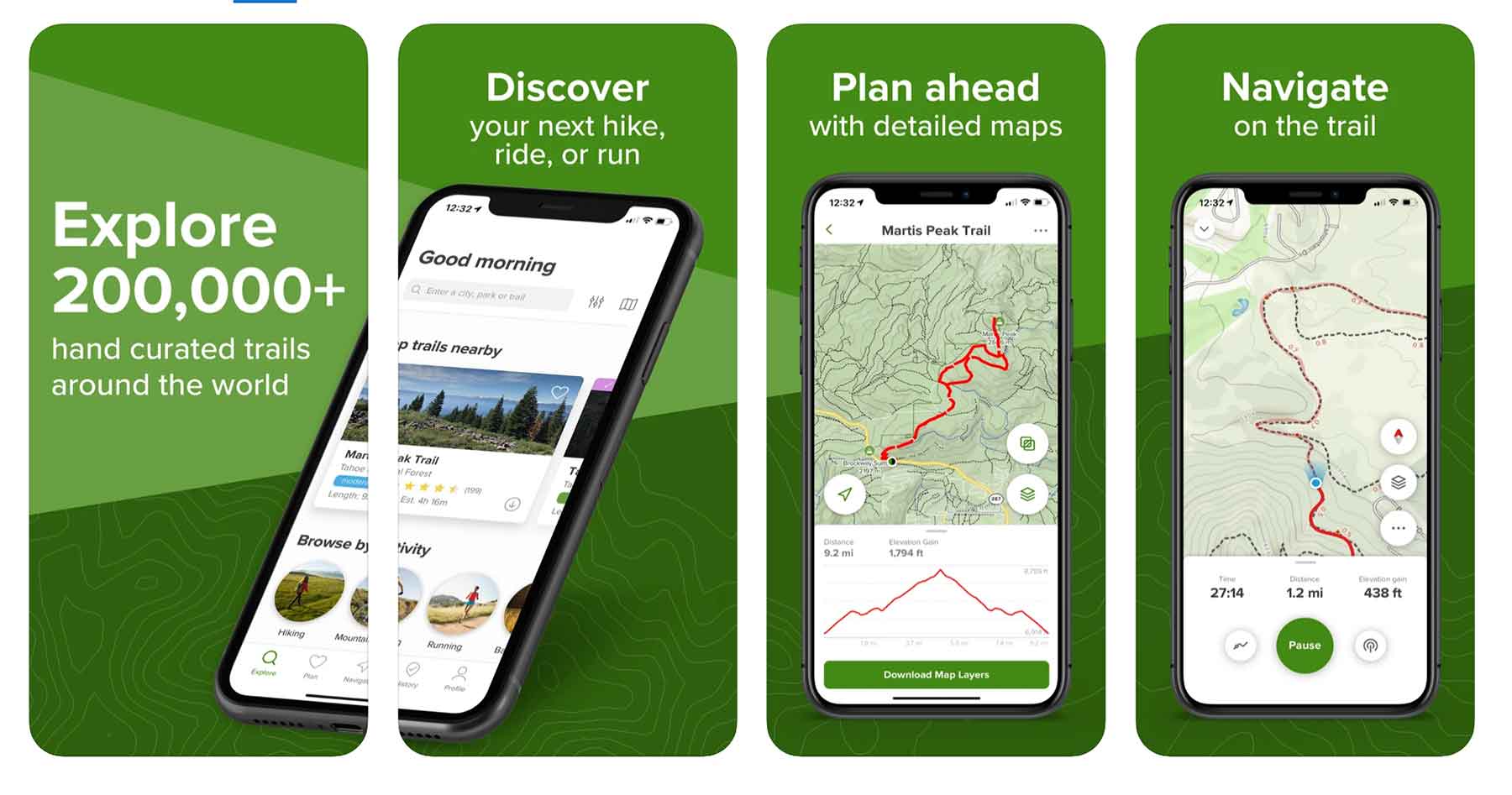
If you’ve ever googled a hike you’ve probably seen an All Trails result at some point in your searching. All Trails is one of the best known, well-searched, and most user-friendly hiking apps & websites out there.
The same great functionality All Trails has on their website they’ve brought to their hiking app plus much, much more.
All Trails hiking app features:
- Save trails on your phone
- Find trails on the app
- Search for hikes based on specific criteria (best for dogs, best for snow, best for trail-running, etc)
- View trail details like elevation gain, trailhead location, trail time, etc
- Record hikes (how long it took you, exact route, elevation gain, etc)
If you really love the all Trails hiking app you can subscribe to their pro version which allows users to download offline maps and notifies you if you stray from the trail – pretty cool! The going rate for the pro version is $29.99
2. Best GPS Hiking App: Avenza Maps
Price: Free & In-App Purchases
Download: iOS | Android
Website: Link
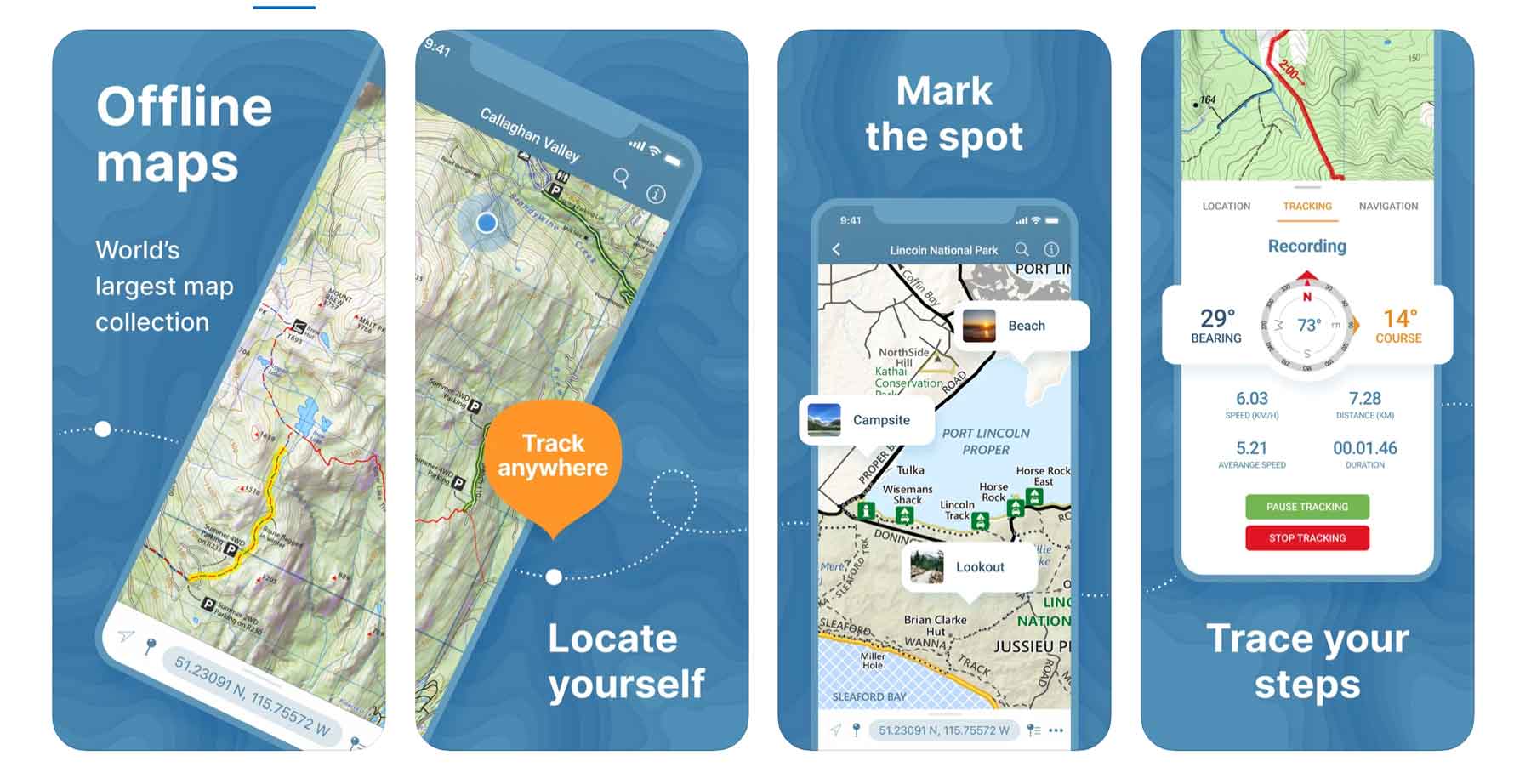
Avenza Maps is a bit of an old school app that I consider to be the best GPS hiking app on the market. Gaia GPS (below) is a close second.
Related: all 63 national parks
The Avenza Maps app is great for hiking because it’s map coverage is so extensive (Avenza claims to have the world’s largest map collection) and the maps can all be downloaded for offline use. That way when you’re way out in the wilderness you don’t have to worry about service to track your location.
Avenza Maps Hiking App features:
- Realtime GPS position (even offline)
- Record GPS hikes via the app
- Save photos & notes to a specific location (“great chanterelle spot”)
- See private land vs public land
While this hiking app itself is free, accessing some of the functionality requires in-app purchases.
Website: Link
3. GPS Hiking Apps: Gaia GPS
Download: iOS | Android
Price: Free & Paid Version ($39.99/year)
Website: Link
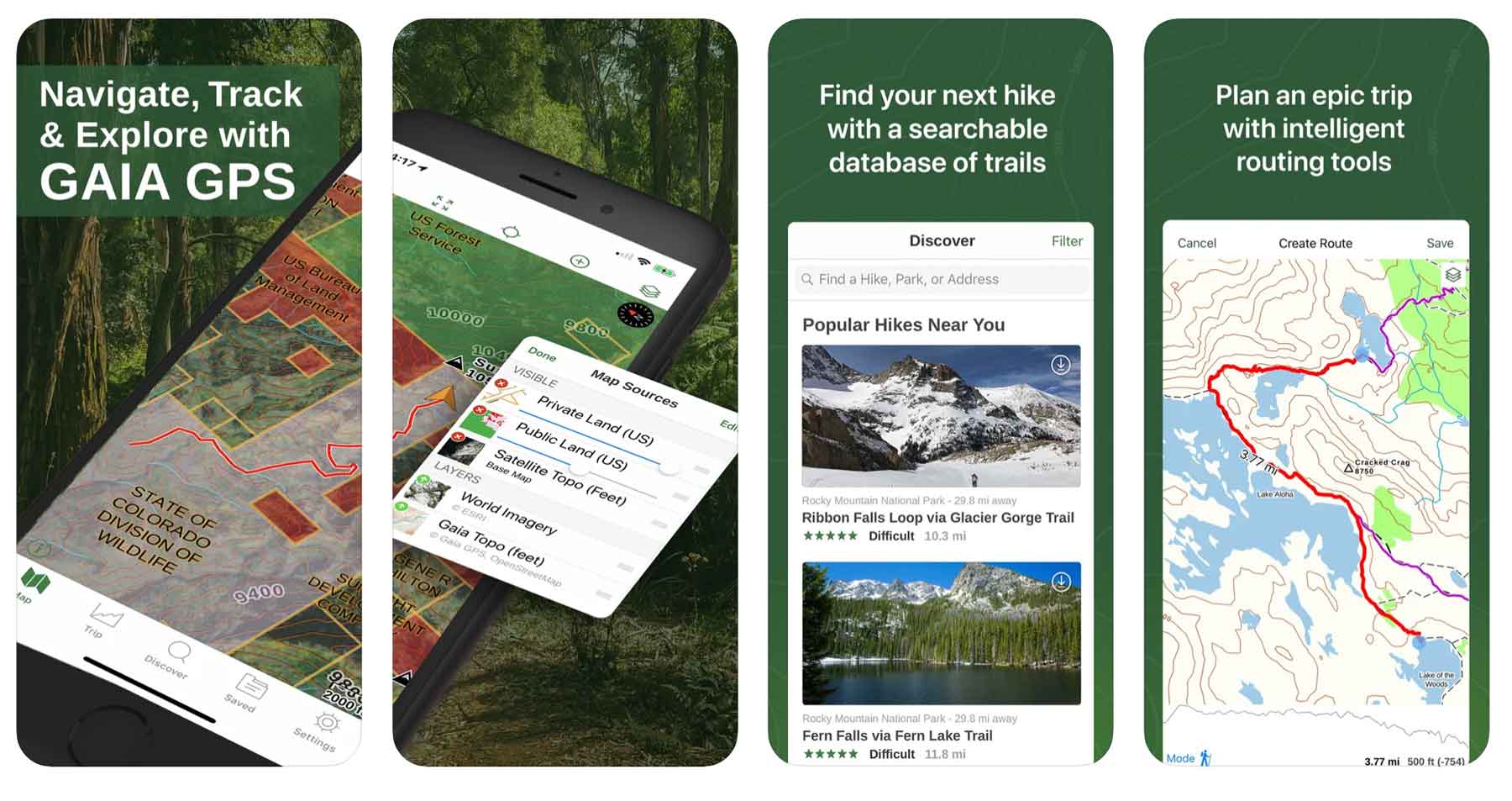
As one of the most popular hiking apps on the market, Gaia GPS is definitely worth considering.
Gaia GPS hiking app features include:
- Finding new trails
- Recording your route
- Saving hike statistics
- Saving hike performance
- Weather forecast for the hike
- Campgrounds locations near your hike
- See private land vs public land
As with a lot of apps these days there is a free version and a paid version of Gaia GPS hiking app. As for me, I’m a free version kind of guy but I know plenty of folks who have found it worthwhile to splurge for the paid version.The free version does not have offline maps – bummer.
The paid version of Gaia GPS runs $39.99 per year and includes offline maps for off-road driving, backcountry skiing, backpacking, & mountain biking maps.
4. Most User-Friendly Hiking App: Google Maps

Price: Free
Download: iOS | Android
Website: Link
I *love* the functionality of Google Maps and use it every single time I travel into the national parks and forests. The main thing is remembering to download the offline maps while you’ve got some wifi or strong enough service.
To download offline maps in this hiking app, open the Google Maps app > click your profile in the top right corner > Offline Maps > Select your own map > highlight the area you want > download.
Google Maps hiking app features:
- Save map points
- Add and view trail photos
- Plan routes
- Free Offline Maps (download in advance)
- Get 360 degree tours of entire hikes (limited to certain hikes like Bright Angel Trail in the Grand Canyon and only available while you have service).
I don’t know of a single other hiking app that has the bandwidth or capability of the 360 hiking tours/previews and for that reason alone Google Maps makes the list.
Google Maps also has regularly updated trail photos for a huge percentage of its hikes and has a worldwide user base to pull relevant data from.
5. Most Advanced Hiking Apps: Spyglass
Price: $5.99
Download: iOS | Android
Related: national park road trips
Website: Link
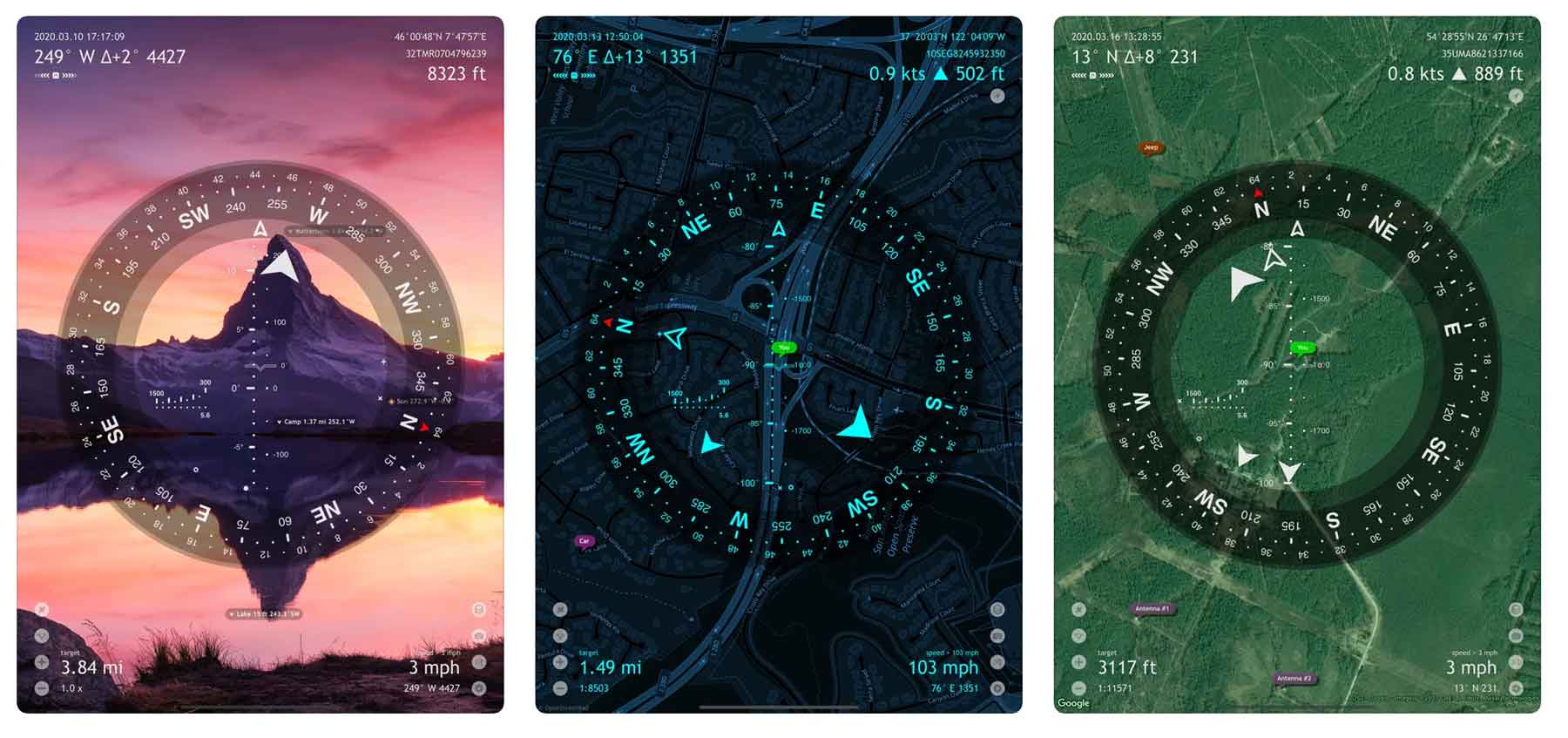
Spyglass kind of seems like a futuristic hiking app with really cool and advanced features like a heads up display and augmented reality no trails. This app also has a rangefinder feature which measures your distance from places on the trail.
The augmented reality feature in Spyglass allows folks to track things in real time including the precise location of any point on the map.
Spyglass Hiking App Features:
- Augmented reality overlay to see exactly where something is
- Elevation tracking
- Rangefinder to track distance of waypoints
- Photos of trails
- Tactical GPS including Civilian or Military coordinate options
The downside to this app is that while it has powerful features, it can come with a steep learning curve for new users, especially compared to other hiking apps. The iPad is best for functionality as one can really see the full range of instruments but I doubt many of us are packing an iPad on the trail.
6. Best Hiking Apps for Discovery: Hiking Project
Price: Free
Download: iOS & Android
Website: Link
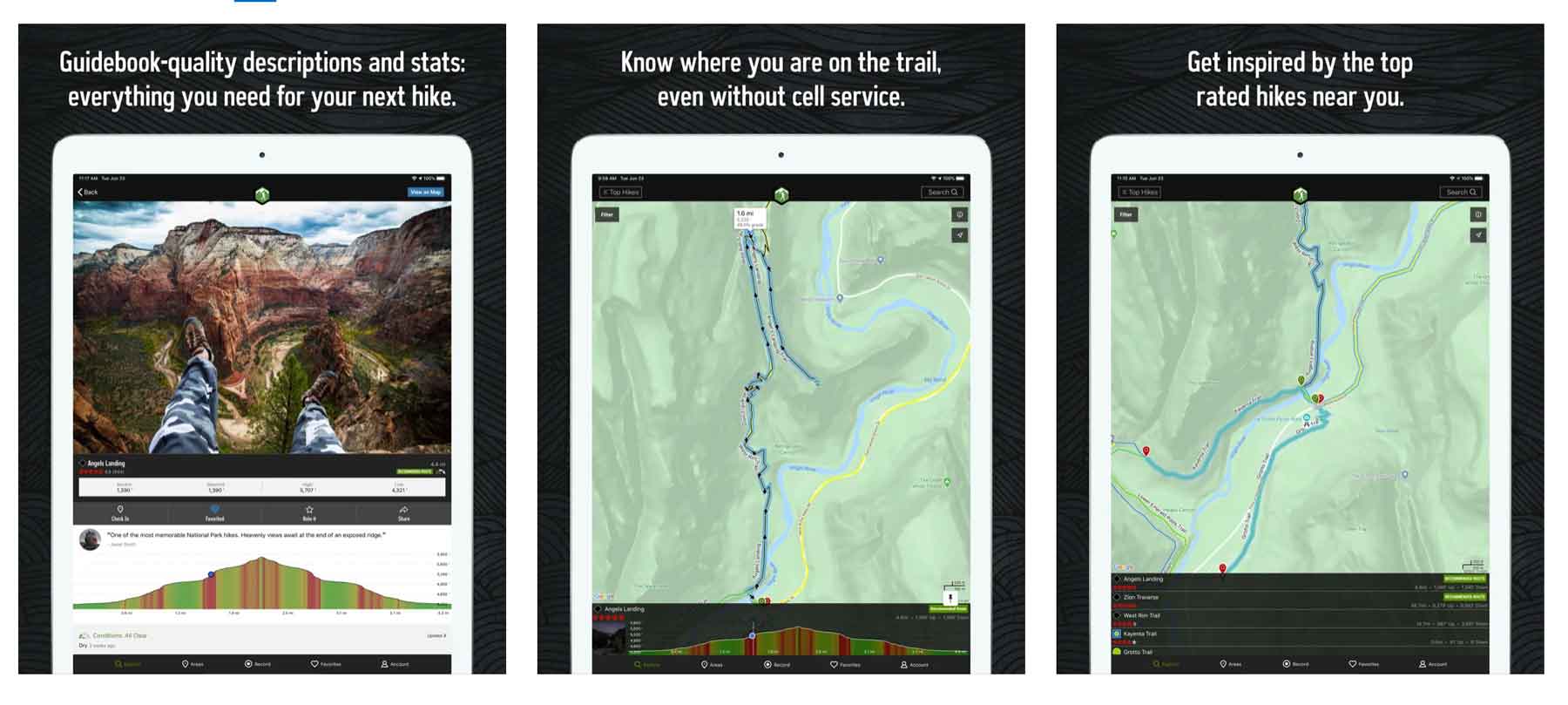
Hiking Project is a favorite hiking app for folks looking to find trail inspiration. Overall the app is quite similar to All Trails with the ability to save trails and search for hikes in a familiar way.
With hiking project you can save interesting points on the trail as “gems”. As a US based hiking app most of the trails are in the US and Canada. As such the app ranks trails by popularity in case you want to know if a particular trail is “worth it”.
Hiking Project App Features:
- Save & search for hikes
- Save & search for cool points on a hike
- Detailed hike descriptions including wildlife & flora
7. Most Safety-Focused Hiking App: Cairn

Price: Free & Paid Version ($26.99/year)
Download: iOS | Android
Website: Link
In the outdoors and on trails, cairns are used to guide you and keep you on the right course. This is the object of the hiking app, Cairn, as well.
This hiking app’s primary niche is focused on hiker safety and keeping you on the trail.
Cairn hiking app features:
- Offline maps
- Sharing GPS location and route with friends and family
- Tracks progress on trail & estimates completion time
Like many hiking apps the free version requires cell-service while the paid version does not.
8. Best Hiking Apps for Apple Watch: Outdoor Active
Price: Free & Paid Pro Version
Download: iOS | Android
Website: Link
Related: best East Coast national parks
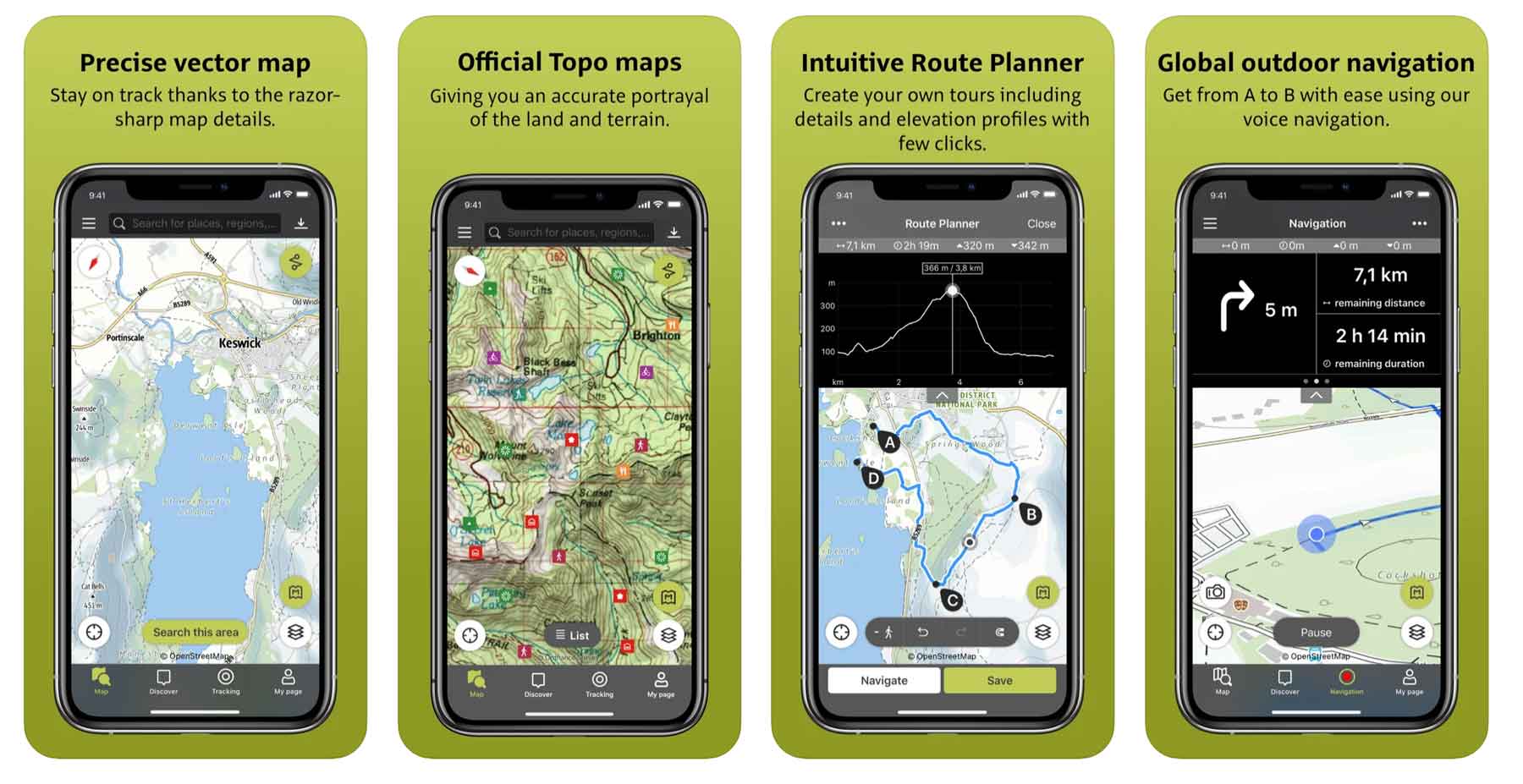
For folks who used to know and love the ViewRanger app, this is the hiking app that gobbled it up! Outdoor Active is a broadly focused app that offers users a variety of features from navigation to challenges to trail info and more.
It seems like Outdoor Active is positioning themselves to be a sort of catch-all outdoors app. The features list is impressive.
Outdoor Active Features:
- Integration with apple health
- Integration with apple watch
- Navigation features
- Travel Guides
- Global Trail database
9. PeakVisor
Price: Free & Pro Version ($29.99/year)
Download: iOS | Android
Website: Link
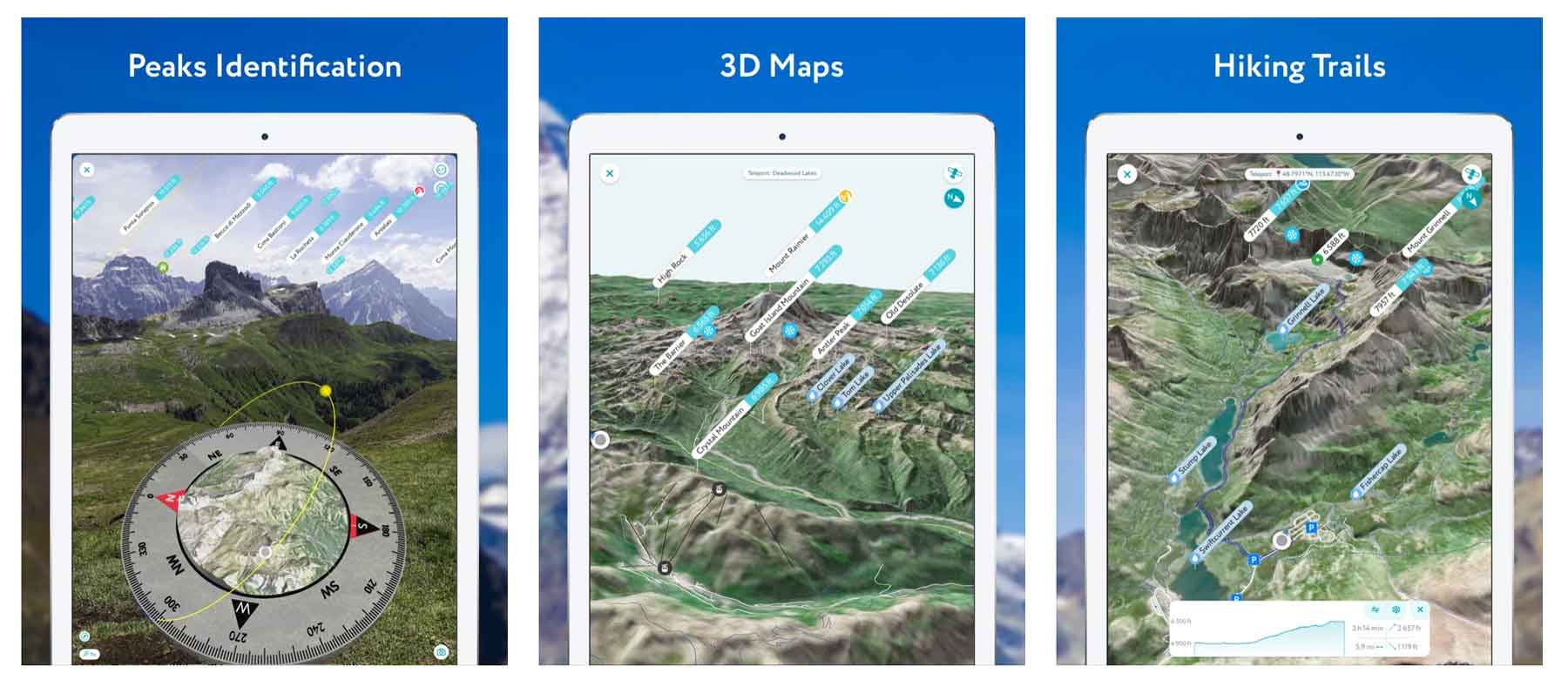
This app is great for folks who hike in mountainous areas and find themselves wondering what mountain they’re looking at. PeakVisor is designed to answer that pondering.
Through the app you can use augmented reality to point your camera at a mountain and PeakVisor will tell you it’s name. Not only can you do this in real time, but you can also upload mountain photos you’ve taken before and the app will tell you which ones those are. Pretty wild!
Boasting over a million mountain peaks in its database (I didn’t realize there were that many on the planet) PeakVisor is bound to have the mountain you’re wondering about.
Free versoin of the app requires cell service -pro version does not. That’s how they get you.
10. Seek by iNaturalist
Price: Free
Download: iOS | Android
Website: Link
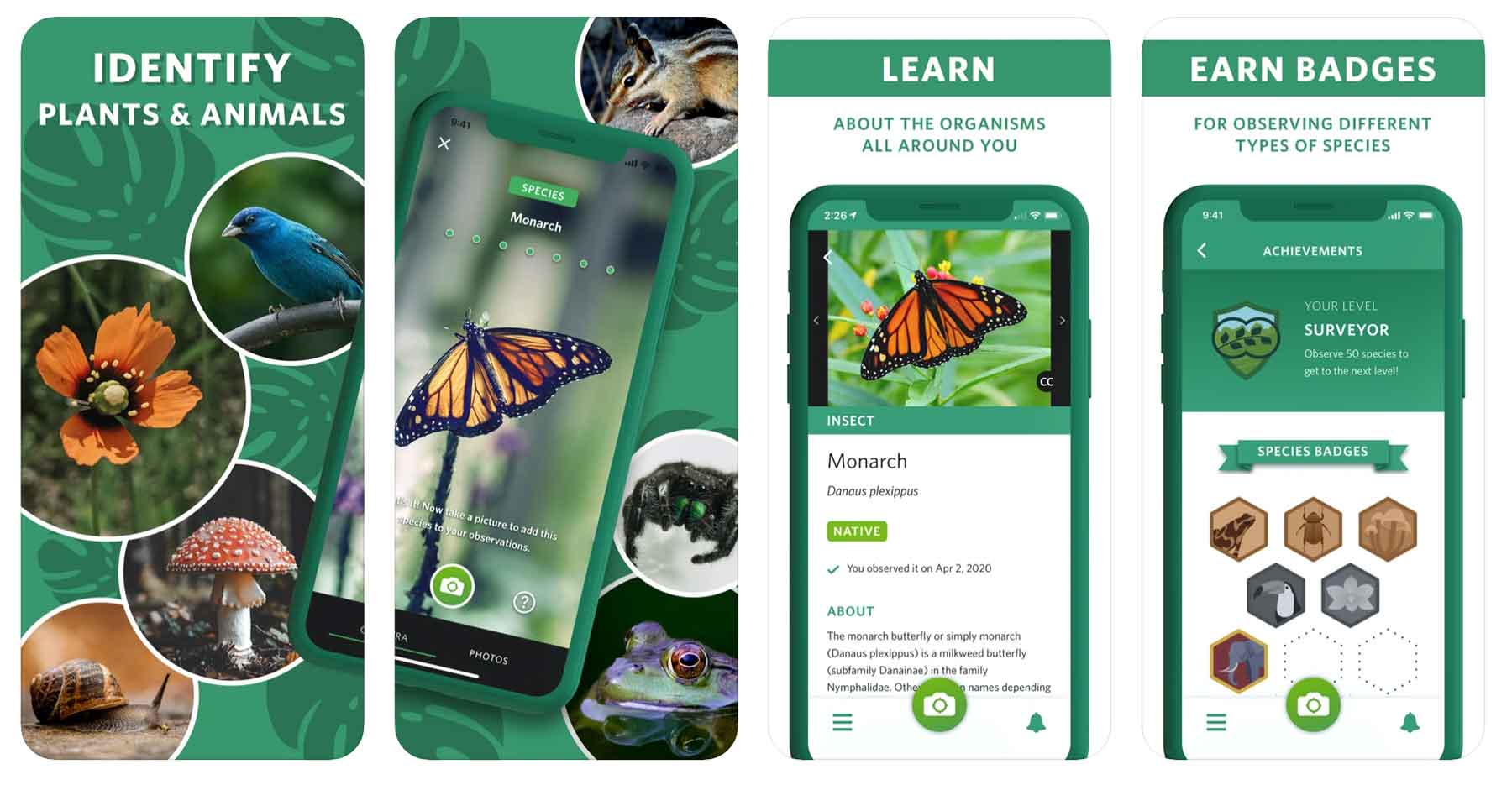
If you’re a plant enthusiast, or even just a curious hiker, this is a life-changing app for hiking. How many times have you been on a trail and wondered what kind of plant or tree you were looking at?
There’s an app for that – it’s called Seek by iNaturalist. Developed by National Geographic and the California Academy of Sciences this app uses your camera and location to figure out what animals and plants you find while hiking.
The app couldn’t be easier to use as all you have to do is take a photo of the specie you’re observing and voila! Seek gives you a list of potential candidates.
11. Recreation.gov
Price: Free
Download: iOS | Android
Website: Link
Related: best West Coast national parks
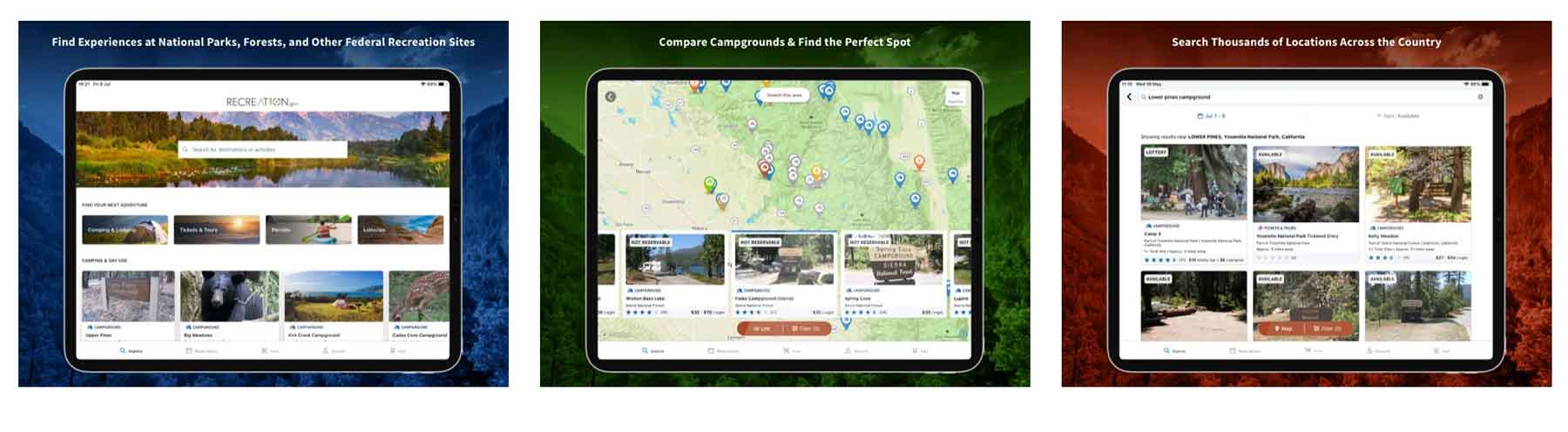
Recreation.gov is my go-to site/app for booking campgrounds on federally managed public lands across the US. What you might not know is that the app also has some great features for hikers.
Through the app you can reserve and/or purchase:
- Campgrounds
- Shuttle Tickets (think Zion, Rocky Mountain, etc)
- Permits for Wilderness access (Denali, Mt Whitney, etc)
- Lotteries (Denali Road, The Wave, Half Dome)
- Interagency Passes
- Ranger Tours
Even if you’re not *planning* to use the app, it’s one you should have on the off chance you show up somewhere in a national park ofr forest and they allow booking through it.
12. National Park Service (NPS) App
Price: Free
Download: iOS | Android
Website: Link
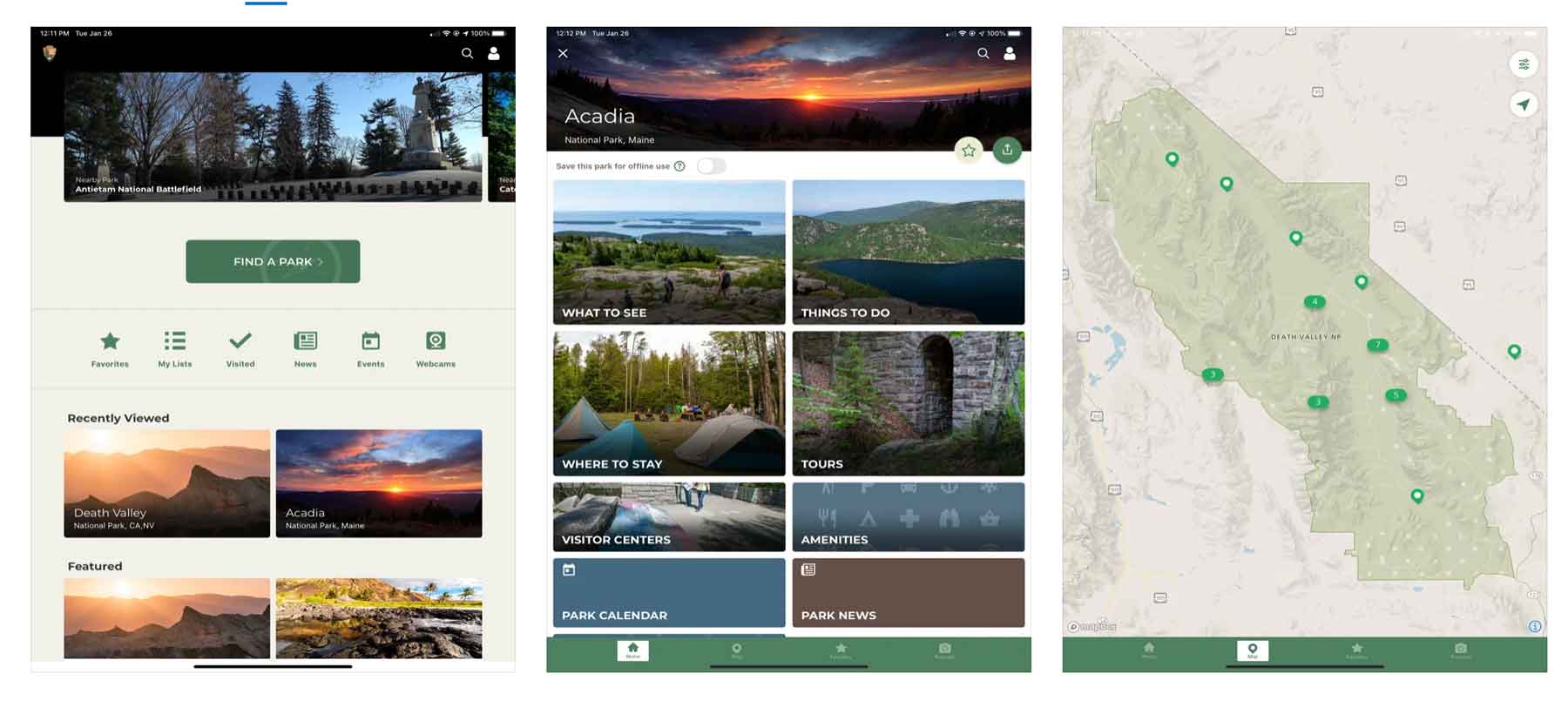
You may not have even realized that the National Park Service released their very own app. If you love the parks, you’ll love this app as it is loaded with great information.
While you won’t find the tracking and trail functionality of some of the other hiking apps out there, you will find detailed trail information including descriptions and open status.
NPS App Features:
- Detailed trail descriptions
- Trail status
- Detailed national park information for all national park service sites
- Trailhead locations
- Tour information, reservation info, and more
13. Maps 3D Pro
Price: $3.99
Download: iOS | Android
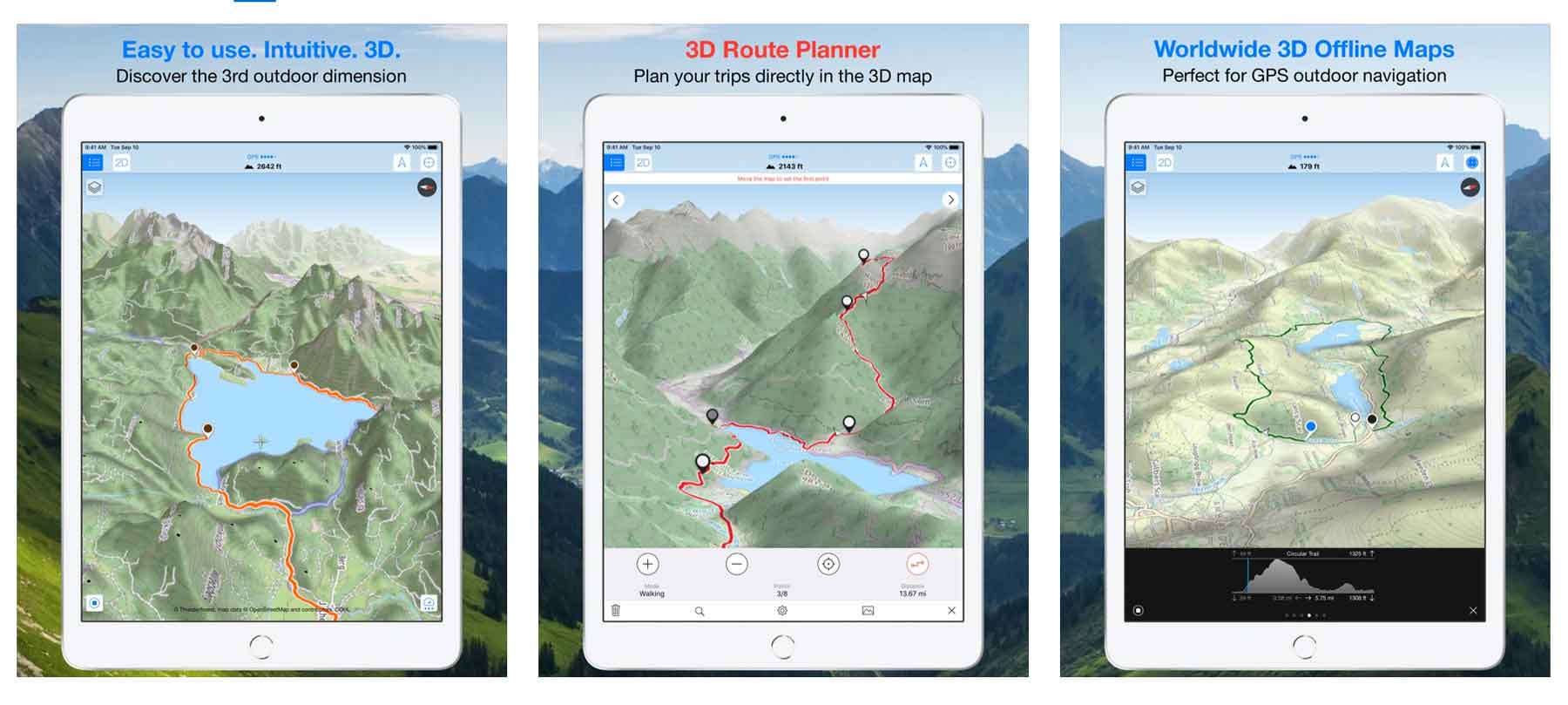
Maps 3D Pro is a great trip/route planning app offering some of the best topographic maps in a hiking app. The app currently has over 1.7 million users so they must be doing something right!
Features for Maps 3D Pro include:
- Beautiful topographic maps
- Searchable maps
- Offline maps & routes
14. Skyview Lite
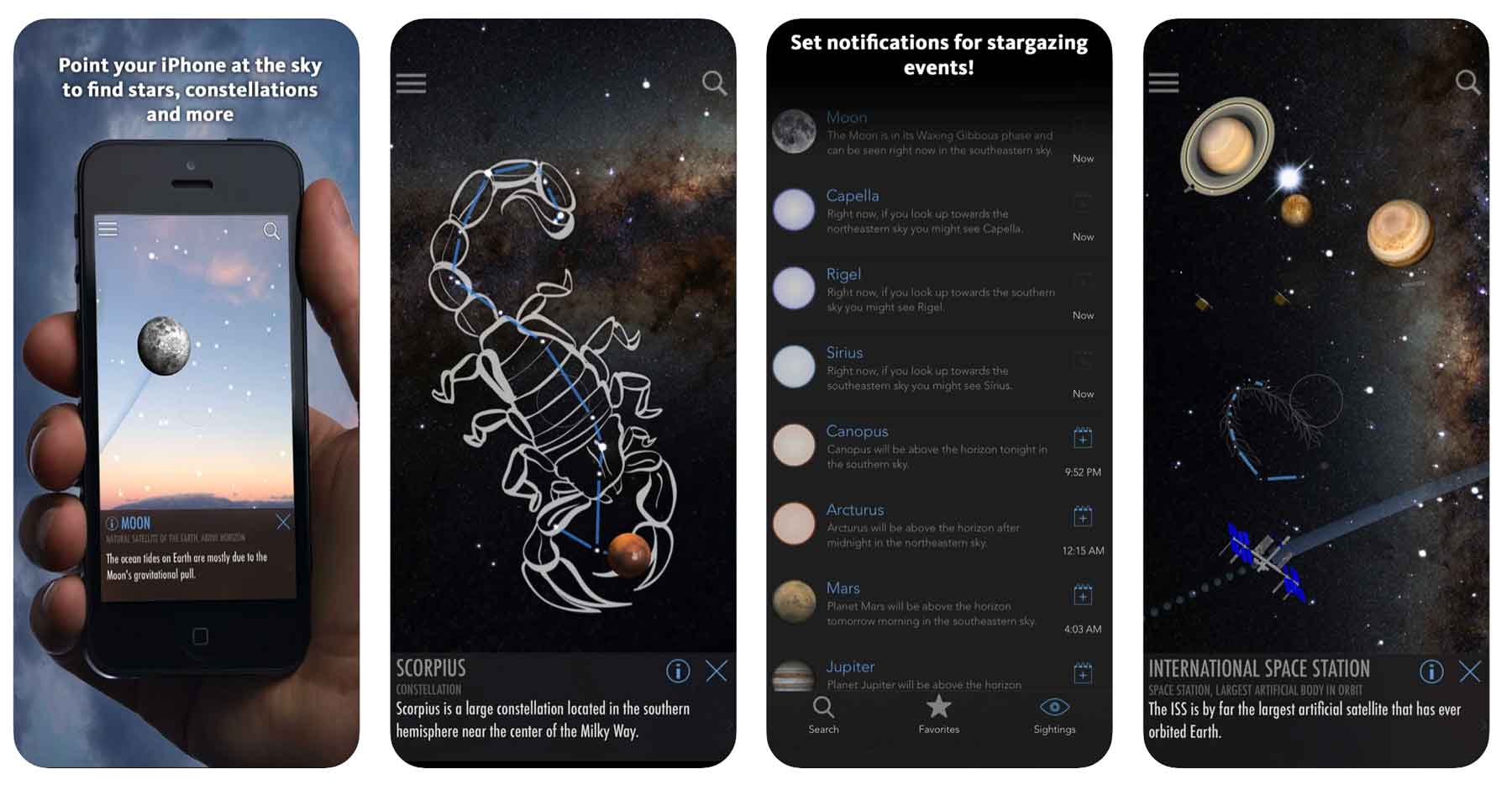
Price: Free & Paid Version ($1.99)
Download: iOS | Android
Skyview is primarily used by stargazers and night sky enthusiasts as a way to recognize the heavens. This is *the* app for identifying stars, constellations, planets, and satellites.
The way the app works is simple and very user-friendly. Simply open the app and point toward the skyward object you’re trying to identify. The app’s built in graphics align with the objects in the sky allowing for quick identification.
The free version is good enough for me but the paid version comes with some extra goodies like watch functionality and more for a mere $1.99.
15. Ramblr
Price: Free
Download: iOS | Android
Website: Link
Related: most visited national parks
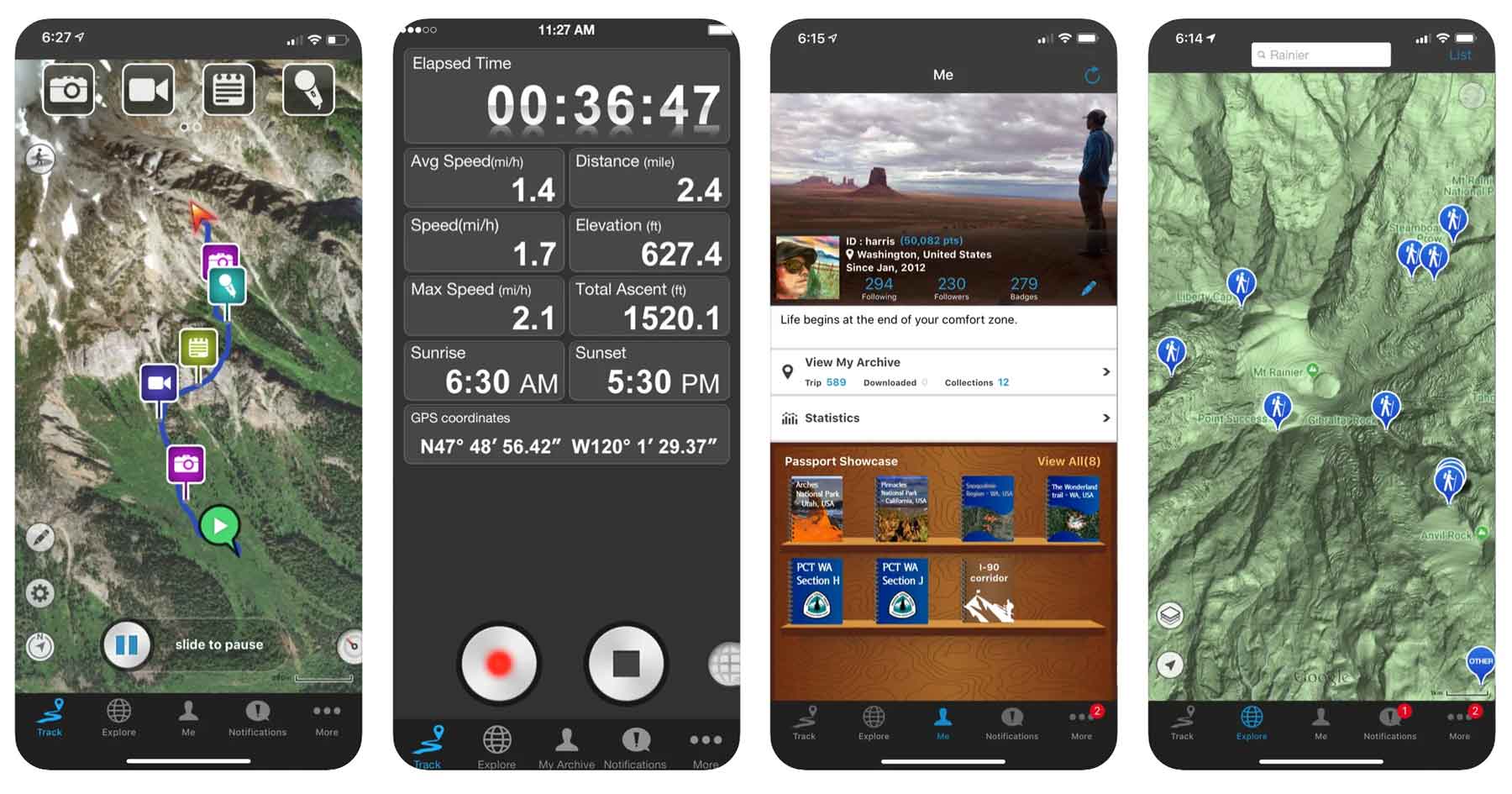
The Ramblr app seems to be focused on the social side of hiking focusing on sharing features. Ramblr encourages users to share hiking stories, capture & share video, share photos, and more.
Ramblr Features include:
- Route tracking
- Statistics tracking
- Recording photos & videos
- Creating “stories” to remember and share your hike
- Add and share hikes with friends on the app
16. Far Out (Formerly Guthook Guides)
Price: Requires in-app purchases of guides ($4.99-$59.99 / each)
Available on: iOS & Android
Website: Link
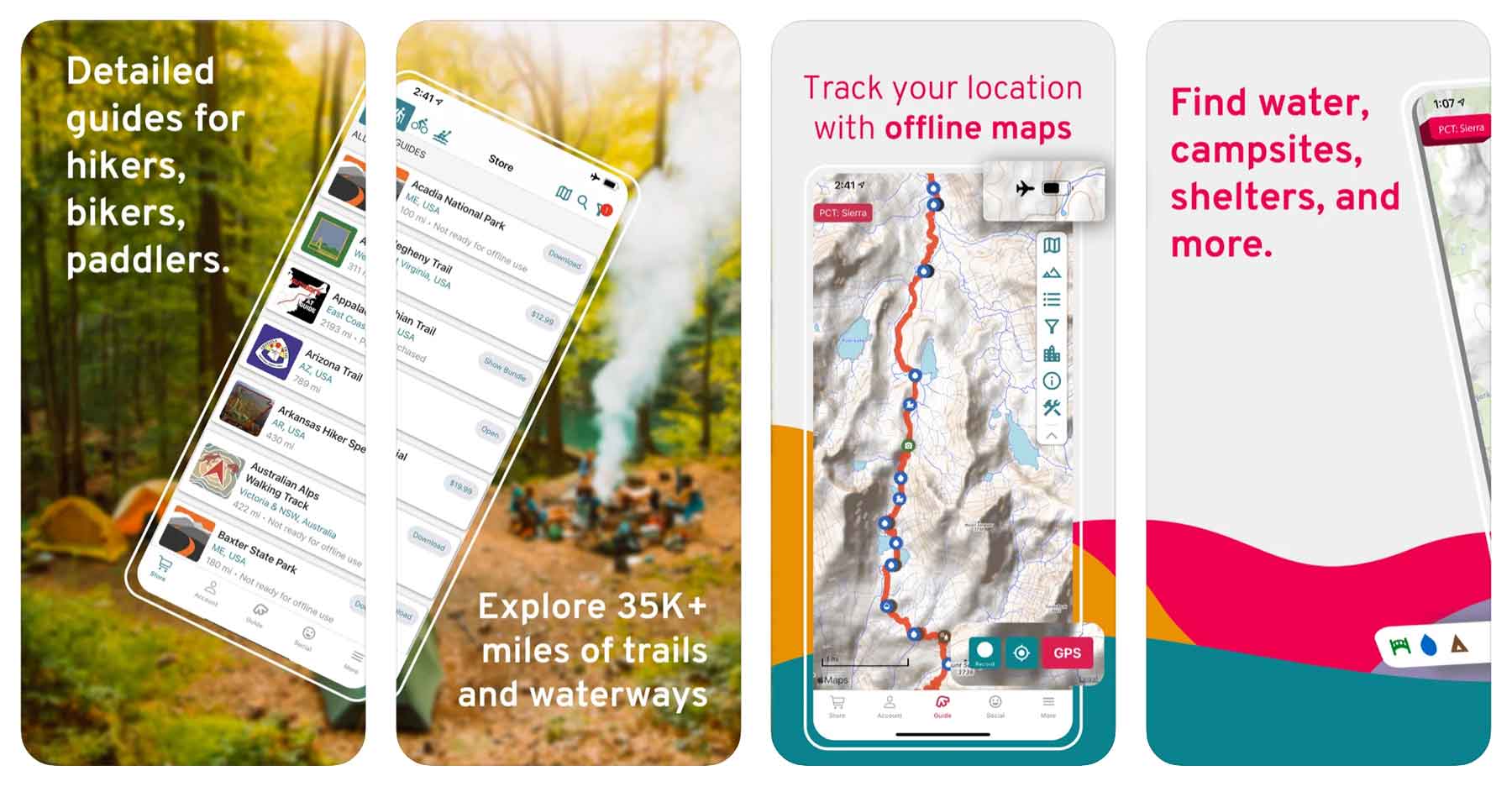
The hiking app with potentially the once best name (Guthook Guides) now known as Far Out is a favorite app for backpackers and distance hikers. Fans of the Appalachian Trail or Pacific Crest Trail will probably prefer an app like this one.
Guthook Guides hiking app features:
- Offline maps
- Elevation Info
- Waypoint Data
- Detailed trail info
- Water source locations
- Campsite info
- Active location tracking to ensure you’re on the trail
The catch? The app is free but the guides (the reason to have the app) are not. Each one ranges from $4.99 – $59.99 depending on trail length. Still, this is a small price to pay for a days long trip.
17. Apple Watch Fitness App

Price: Free (with purchase of Apple Watch)
Download: iOS
Website: Link
This one is for the Apple Watch wearers out there. If you, like many of us, wear an apple watch while on the trails it turns out there’s a great, built-in app that does a great job of keeping track of your trail distance.
The app has a special “Hiking” mode that keeps track of things like calories, heart rate, distance, elevation, and more.
18. Komoot
Price: Free
Download: iOS | Android
Related: road trip planning tools
Website: Link
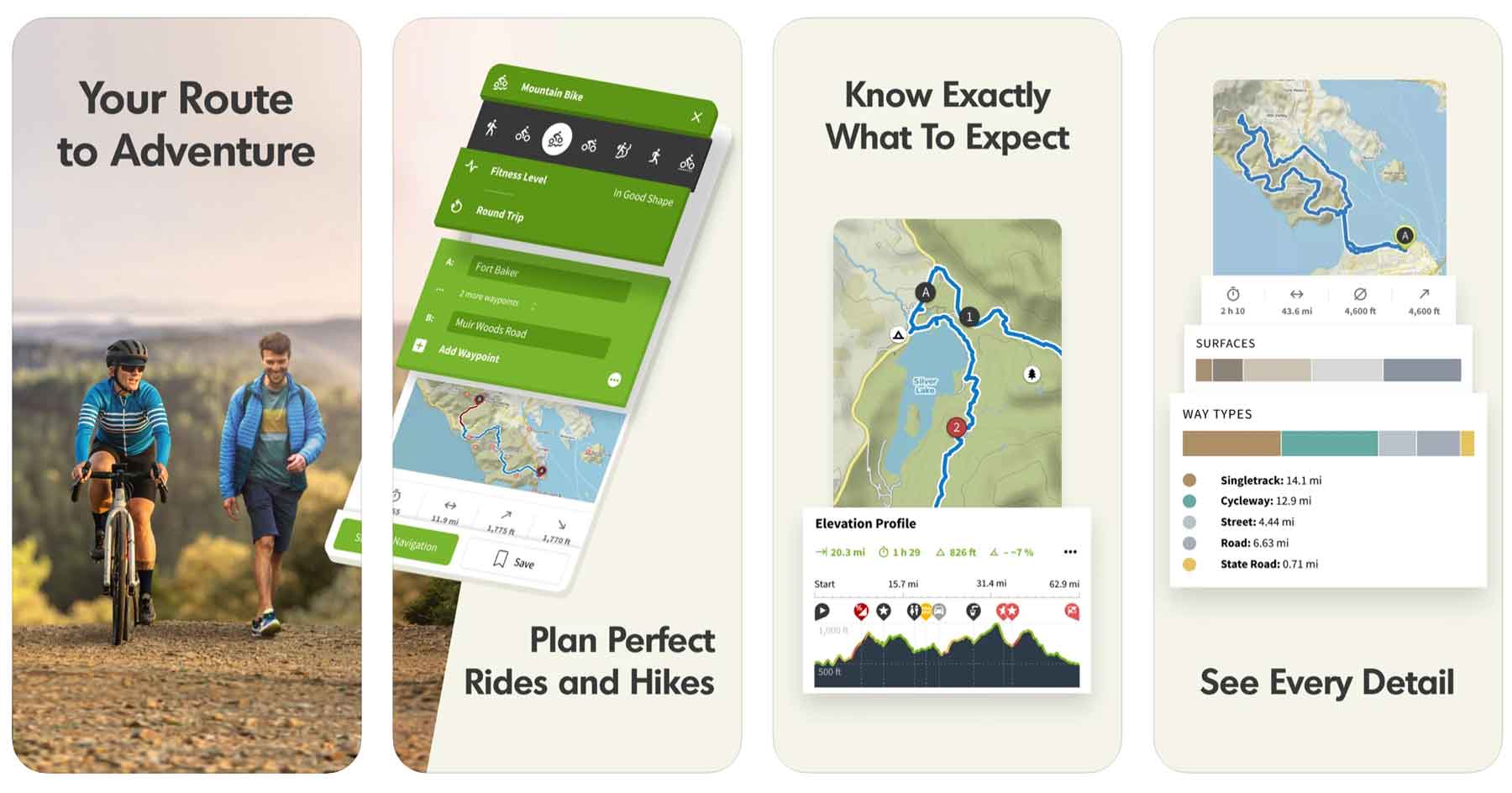
Komoot has similar functionality to that of other hiking apps like All Trails. One nifty feature of of this app is it’s turn by turn voice navigation in case you don’t want to look at your phone while hiking.
The app seems to be geared toward and integrate the best with mountain biking and cycling.
Komoot hiking app features include:
- Turn by turn voice navigation
- Offline maps
- Route photos & highlights
- Designed especially for bikers
Finding the Best Hiking App
Below I’ve listed some frequently asked questions and answers to help you navigate the wide world of hiking apps.

What is the Best Free Hiking App?
- All Trails App
- Hiking Project App
- National Park Service App
- Recreation.gov App
- Gaia GPS App
What is the best GPS app for hiking?
The best GPS app for hiking is Avenza Maps but Gaia GPS is a close second.
Does Google Maps work for hiking?
Yes in fact google maps typically live updates your position even if you don’t have service so long as you’ve downloaded the map ahead of time. Google maps is loaded with hiking trails and more.
Using Phone GPS for Hiking?
You can use your phone GPS for hiking no problem! I use mine all the time. Most hiking apps including google maps work great for hiking.
List of Best Hiking Apps
- All Trails (Free + $29.99/year)
- Avenza Maps (Free + In-App Purchases)
- Gaia GPS (Free + $39.99/year)
- Google Maps (Free)
- Spyglass ($5.99)
- Hiking Project (Free)
- Cairn (Free + $26.99/year)
- Outdoor Active (Free + Pro Version)
- PeakVisor (Free + $29.99/year)
- Seek by iNaturalist (Free)
- Recreation.gov (Free)
- NPS App (Free)
- Maps 3D Pro ($3.99)
- Skyview Lite (Free)
- Ramblr (Free)
- Far Out (Free + $4.99-59.99 per guide)
- Apple Watch Fitness App (Free with purchase of Apple Watch)
- Komoot (Free)
- Apple Maps (Free)
Why Listen to Us About Hiking Apps?
You should probably know that we don’t just make this stuff up out of thin air. We’ve spent our entire adult lives exploring and filming America’s national parks and public lands.
We’ve worked with the National Park Service, the Department of Interior, and the U.S. Forest Service for years creating films on important places and issues.
Our work has been featured in leading publications all over the world and even some people outside of our immediate family call us national parks experts.

If you’d like to follow along our journey we’d be delighted to have you!
And a bonus! Tips for Visiting a National Park
Related Reading Best National Parks in the USA / National Parks Road Trip / National Parks by State
Permit Systems and Reservations
Check to see if the national park you’re visiting has a permit or reservation system in place before visiting. As parks become increasingly crowded more has to be done to safeguard them which means controlling the hundreds of millions of people who visit these places each year.
Popular national parks with reservation systems of some kind include Yosemite, Yellowstone, Zion, Rocky Mountain, Glacier, Arches, Acadia, Denali, and more.
Want Less Crowds? Try a National Forest!
Try visiting a national forest while you’re on your trip to avoid the crowds. There are 155 national forests in America, many of which are equally as beautiful as the national parks they neighbor and only see a fraction of the visitors.
For example, try the Flathead National Forest next to Glacier National Park, the Bridger-Teton next to Grand Teton, and the Dixie which borders nearly all of the Utah National Parks.
Practice Safety, Seriously
National parks are beautiful but wild places, so it is essential to practice basic safety while visiting them. Every year people die while vacationing in national parks. This is easily avoided by:
- Sticking to trails
- Checking the weather before going out on a hike
- Maintaining a safe distance between wildlife which means at least 25 yards from most wildlife and 100 yards from predators
- Avoid ledges with steep drop offs
What hiking app do you swear by? I’m firmly in the AllTrails camp for trail discovery, but Gaia GPS is what I trust when I’m actually in the backcountry. Let me know which app has saved your hike (or your life) in the comments below.